FEATURES
Everything it does, on its own screens.
Six screens captured from the app on an iPhone, and a labelled test take going through each of them. Nothing here is a mockup.
REVIEW
Every cut stays under control.
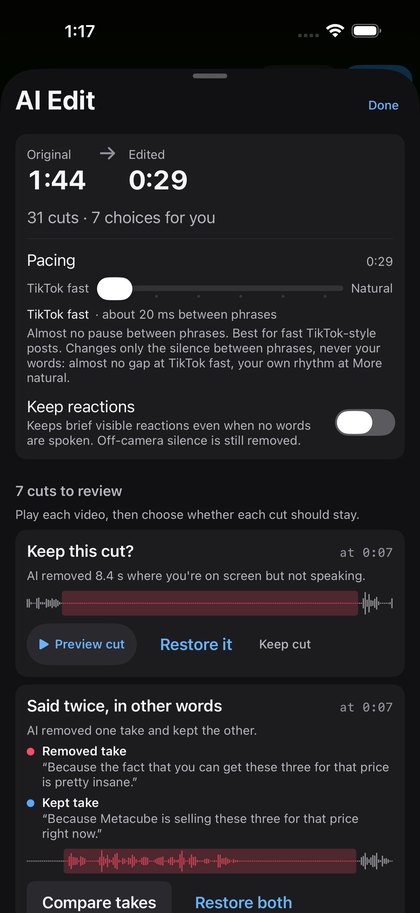
Before you watch a frame, it tells you what it did. Thirty-one cuts on this take, each with the reason it was made, each one reversible. Seven it would not decide alone, so they queue for you instead of being guessed.
- COMPARE
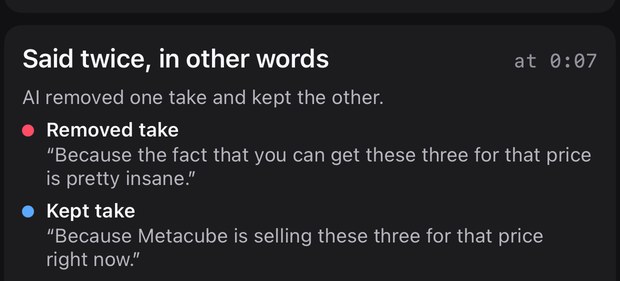
Two takes of one line. Play both, keep the one that landed.
- RESTORE
Put a cut back. The clip returns where it was, not at the end.
- KEEP BOTH
Both takes stay. When the repetition is the point.
- REMOVE
Drop the earlier attempt. The one you talked over.
Your original recording is never modified. Everything above happens to the edit, and the edit is a list of decisions you can change.
PACING
TikTok Shop speed, or more neutral.
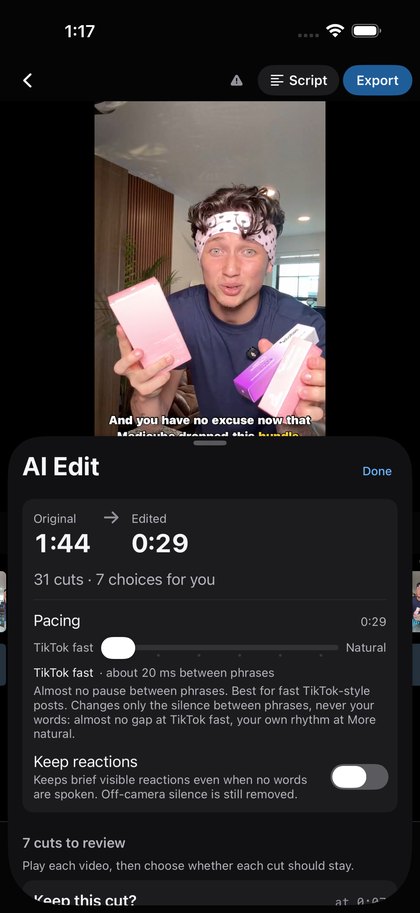
One slider sets the pace of the whole cut. At the fast end there is almost no pause between complete thoughts; at the neutral end your own rhythm stays and only the silence and the retakes come out. It changes the gaps between phrases and never cuts into a word.

- Changes
- silence between phrases
- Never changes
- your words
- Keep reactions
- a switch: keep brief visible reactions between lines
- Move the slider
- every cut can come back
CAPTIONS · EDITOR
Captions on the word you said. Then it is an editor.
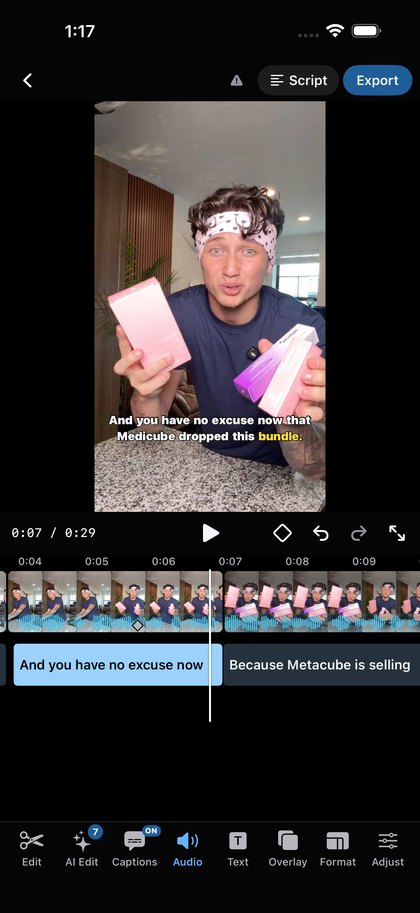
Captions are written from the transcript and land on the exact word, so a cut never leaves a stray caption behind. The first cut opens straight into a real editor: the timeline is a filmstrip with waveforms, and everything below it is yours.
- Captions
- one block per phrase, timed to the word
- Fix a spelling
- changes the caption, not the audio
- Remove a word
- from the script, and it leaves the video
- Timeline
- filmstrip with waveforms; captions sit under it
The tool bar, as it is on the screen:
By hand, per clip:
- Trim
- Split
- Reorder
- Crop
- Speed 0.1–5×
- Volume
- Enhance voice
- Text
- Photo & video overlays
- Format
- Captions
- One keyframe per clip
SCRIPT
Edit by reading.
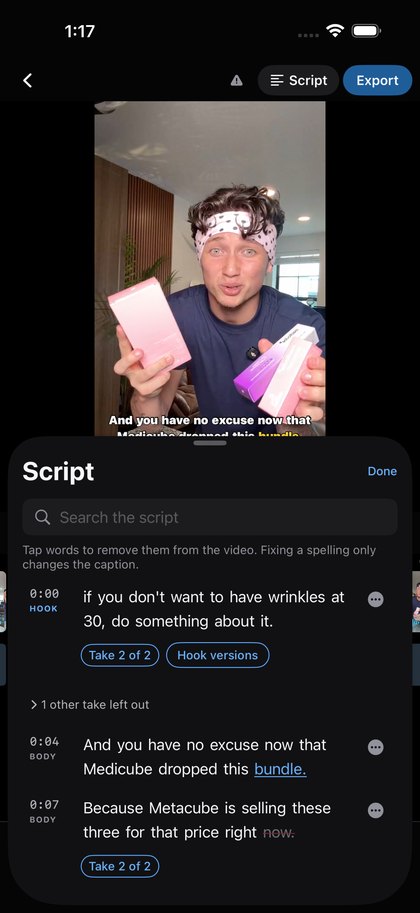
The words, the captions, the video and the timeline are the same thing seen four ways. Tap a word in the script to take it out of the video. Fix a spelling and only the caption changes; the audio is untouched.
- 0:00 HOOK
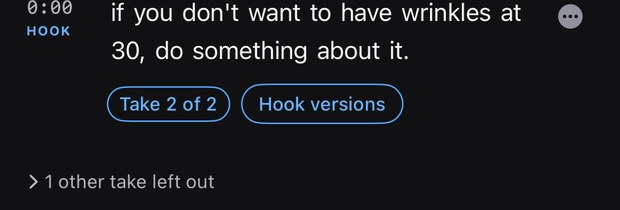
- “if you don’t want to have wrinkles at 30, do something about it.” Take 2 of 2 — one other take left out.
- 0:04 BODY
- “And you have no excuse now that Medicube dropped this bundle.”
- 0:07 BODY
- “Because Metacube is selling these three for that price right
now.”
EXPORT
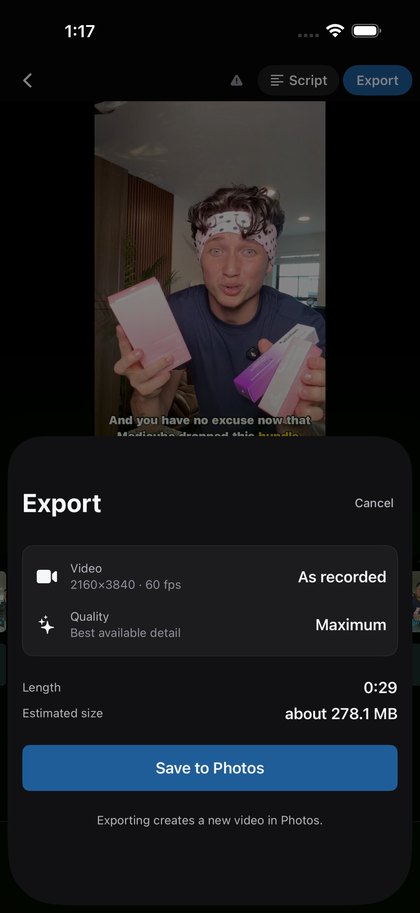
As recorded, straight to Photos.
Export writes a new video into Photos at the size and quality you choose, and tells you how big it will be first. Your original recording stays exactly as it was.
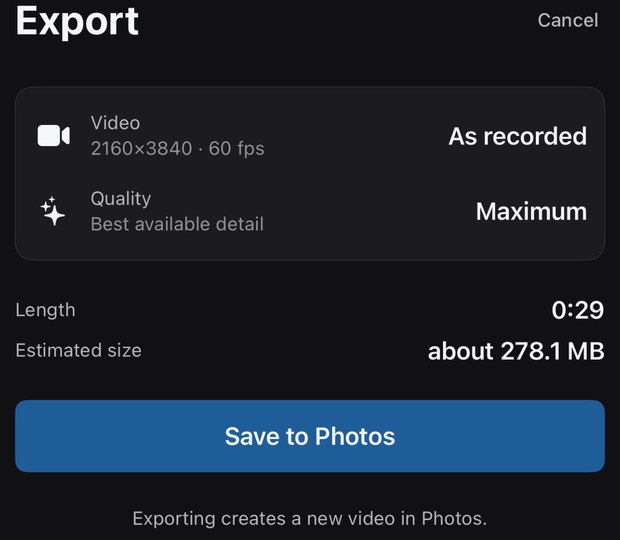
Exporting, like editing and re-editing, never counts as an AI edit.
PROJECTS
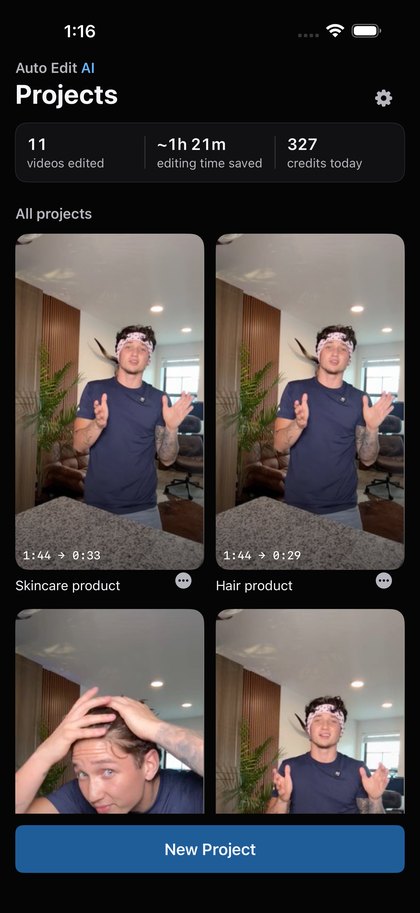
An edit is a list of decisions, and it keeps every one.
Each project is the original recording plus the decisions made about it, so it can be reopened, re-edited and exported again without touching the source. Each tile shows what went in and what came out.
- Per project
- raw length → edited length, on the tile
- New Project
- picks a recording from Photos
- Re-editing
- free, never counts as an AI edit
- Re-exporting
- free, writes a new video to Photos
- The source
- stays in Photos, untouched
Every figure on the Projects screen is the app's own count of the projects on that phone, not a claim about anyone else's.
All of it on the iPhone.
The full data map is in the privacy policy.
- The analysis runs on the device.
- Transcription (with Apple's on-device speech recognition), silence detection and the edit decisions all happen on your phone.
- Nothing is uploaded to Auto Edit AI.
- There is no account, and there is no server holding your video.
- No advertising, no tracking.
- There is nothing in the app that reports on you.
- Your original stays in Photos.
- Untouched, unless you change the optional import behaviour yourself.
Two settings, not two products.
Pilot is $20.00 a month for 30 AI edits, with a 3-day free trial for new subscribers. Unlimited is $40.00 a month with no monthly cap. Yearly billing is $149 and $299. Both include the full editor and export. US prices; the app shows yours in local currency.